Sunday, September 30, 2012

Software Releases • Current Caller ID v4.0.3

Current Caller ID v4.0.3
Requirements: Android 2.2 and up
Overview: ID unknown calls & texts, enhance Caller ID with Facebook, Twitter and LinkedIn.

Image

Get Call, Text and Social ID all in one app with Current Caller ID by WhitePages!
“WhitePages’ new Current Caller ID app is the future of smartphone calling” – VentureBeat
“Caller ID on steroids” – HuffingtonPost
** Android App of the Week – Gizmodo**
Over 300 million home, business and mobile phone numbers identified free, from the #1 and most trusted people directory.
Stay in the know with those you are closest to – Current Caller ID brings in the latest social updates from your Facebook, Twitter and LinkedIn friends. Don’t miss an update from your mom because that guy you went to high school with keeps posting about his breakfast on Facebook.
Being up to date makes conversations easier and more fun, so we’ve also included local news and weather for your top contacts, even if they’re not keen on the social networks.
Caller ID is no longer just about a name.
- Stay up-to-date effortlessly with social and local information for each caller and texter
- One app manages all your calls and texts and contacts with Frequent and Recent lists.
- ID incoming and outgoing numbers, including Businesses and Cell Phones*
- Fun infographics about your calling and texting habits with friends and family
- Frequent Caller Widget puts your favorite people a tap away
*ID may be post-call on Verizon/Sprint

What’s in this version:
Thanks for your feedback & support – keep it coming!
Added in V4.0.3:
- New settings to customize your call alert. Show as much or as little info as you want. Uncheck weather, news, social and recent activity if you want to keep the alert small.
- Setting for Google Voice users: “Dismiss after answering” for access to GV in-call options
- Call alert resets to top on new calls
- Better matching contacts with Facebook/LinkedIn/Twitter
- Fix for missing calls in history
More enhancements soon!

This app has no advertisements

More Info:
Software Releases • Virtuous Widgets v1.0.2

Virtuous Widgets v1.0.2
Requirements: 4.0.3
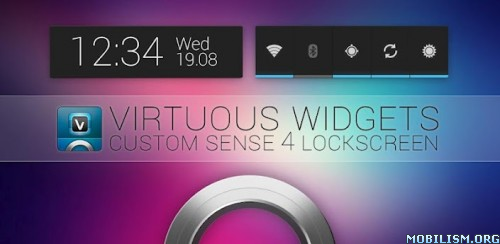
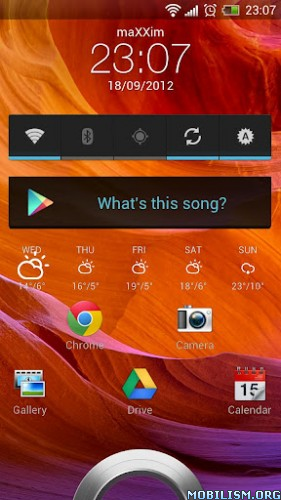
Overview: Virtuous Widgets is the world's first custom Sense 4 lockscreen. Based on the HTC SDK, Virtuous Widgets adds much needed functionality to the stock Sense 4.x lockscreen.

Image

Image

COMPATIBILITY NOTE:

This app was developed for stock devices. If you are running a custom ROM you might encounter issues.
We can't fix that. Please ask your ROM chef to fix it.
Please do NOT give us a bad rating because your custom ROM does not support this. It's not our fault...

IMPORTANT:

This app ONLY works on devices which run ROMs (firmware) with full Sense 4.x.
This app does NOT work on any non-Sense 4.x ROMs.
If you are running CyanogenMod, AOKP, MIUI or any other AOSP derived ROM, this app will NOT work.

This app will NOT work on devices with Sense 4.0a (like the HTC One V or any ports of the One V ROM).

Again: Only devices with a Sense 4.x based ROM will work.

Please START the app after installing and follow on-screen instructions!

Virtuous Widgets is the world's first custom Sense 4 lockscreen. Based on the HTC SDK, Virtuous Widgets adds much needed functionality to the stock Sense 4.x lockscreen.

Virtuous Team brings you the ability to use normal widgets on your lockscreen. You can add widgets and shortcuts to give your lockscreen a very personal look & feel.
Unleash your creativity and create awesome lockscreens in every way you want.

You don't need root or an unlocked bootloader to enjoy the new possibilities. The app works fine on stock phones.

If something doesn't work as expected, please feel free to contact us via email, we will answer you as soon as possible.
Please keep in mind that we can't answer any comments here, so a bad rating won't get you any answers.

Important notes:

Please START the app after installing and follow on-screen instructions!
Since HTC uses a proprietary format for all their own widgets you won't be able to use them on the lockscreen. However, all 'normal' Android widgets work fine.

This app has no advertisements

More Info:
Software Releases • iCircuit v1.5

iCircuit v1.5
Requirements: 2.1+
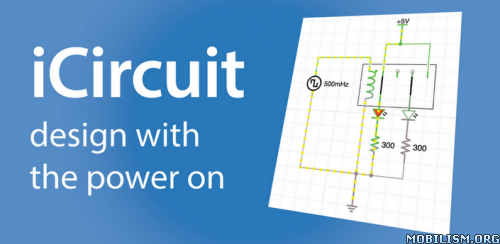
Overview: Its advanced simulation engine can handle both analog and digital circuits and features realtime always-on analysis. It is the perfect companion to students, hobbyists, and engineers.

Image

Image

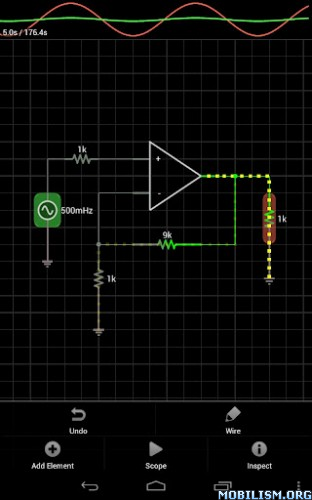
You use it as you would any CAD program: you add elements, connect them together, and set their properties.

But iCircuit is unlike other CAD programs because it is always simulating. It's just like working with the real circuit. You do not stop to take a measurement or spend a lot of time configuring reports. Instead, you just play with the circuit as you normally would, with the power on!

There are over 30 elements you can use to build your circuits. The app has everything from simple resistors, to switches, to MOSFETS, to digital gates.

The app features a multimeter that you use to probe around the circuit to instantly read voltages and currents. If you want to see how a value changes over time, then you can add values to the built-in oscilloscope. The scope can simultaneously track many signals over time and features a touch interface to control the total time displayed and stacked and unstacked modes to easily compare signals.

Supported elements include:

Signal generators, Voltage sources, Current sources, and Dependent sources
Resistors, Capacitors, and Inductors
Manual SPST/SPDT Switches, Push buttons, and Relays
Diodes, BJ Transistors, and MOSFETs
Speakers, Microphones, Buzzers, DC Motors, and LEDs
ADCs, and DACs
Logic gates: AND, OR, NAND, NOR, XOR
JK and D Flip-flops
37 7400 series digital parts
7-segment display and driver

No matter your profession, we're sure you'll be amazed by iCircuit!

This app has no advertisements

More Info:
Software Releases • AUDIOID v1.0.2

AUDIOID v1.0.2
Requirements: 2.3+768Mhz CPU or faster
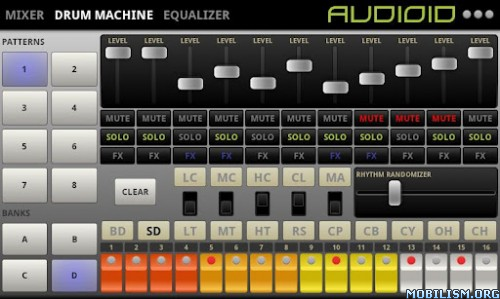
Overview: AUDIOID is an advanced mobile electronic music rhythm composer for Android, combining the mythical TR-808 sounds with real-time filters, effects, randomness and a live approach.

Image

Image

Features::

Sound quality 16-bit PCM at 44KHz
Minimal latency supported by the device
Linear and logarithmic knobs and bars
Visual pitches synced with the tempo
TR-808 drum machine style and sounds
Independent levels, mutes, solos and fxs for each drums
Memory of 4 banks of 8 patterns with 16 instruments containing 16 steps maximum each
attern edition (Copy, Clear, Cut, Paste, Randomize)
Real-time effects (Flanger and Phaser) with various parameters
Audio FFT visualizer (waveform and frequency bands)
Multitouch equalizer from -10dB to +10dB for each supported frequency band
Notch/BP12 filter with variable frequency and resonance
Fine and terribly efficient bass boost
Presets can be saved and restored at any time
Anti-clipping

FUTURE FEATURES:

A TB-303 bassline/groovebox
A drum tap pad
More effects (distorsion, reverb, delay, chorus, etc...)
More drum kits (909, 606, etc...)
Stereo and pan effects
Better UI and better code

What's in this version : (Updated : Sep 11, 2012)

Fixed crash on device where equalizer, vizualizer and bass boost are not supported.

This app has no advertisements

More Info:
Software Releases • GMD GestureControl ★ root v4.2.0

GMD GestureControl ★ root v4.2.0
Requirements: Android 3.1+
Overview: Control device with MULTITOUCH and MULTITASK gestures similar to iPad. Works in all applications. You can even hide status bar and enjoy full screen in your favorite games or while browsing.

Image

Image

Control tablet with MULTITOUCH gestures like iPad. Hide status bar, full screen.

Control device with MULTITOUCH and MULTITASK gestures similar to iPad. Works in all applications. You can even hide status bar and enjoy full screen in your favorite games or while browsing.

★ Try Lite version before you buy
★ Requires root access
★ USB Debuging must be enabled in Android setting

★ Multitouch
★ Multitask - start any application, shortcut or custom action without leaving current application
★ Custom actions - LaunchPad, Start application, Previous Application, Next application, Home, Kill current application, Back, Forward, Recent application list, Recent application dialog, Menu, Notification Panel, Hide/Show status bar, Start launcher shorcut(bookmark, contacts, settings, etc), Start Tasker task, Pause gestures, Exit, Screen Off (lock)
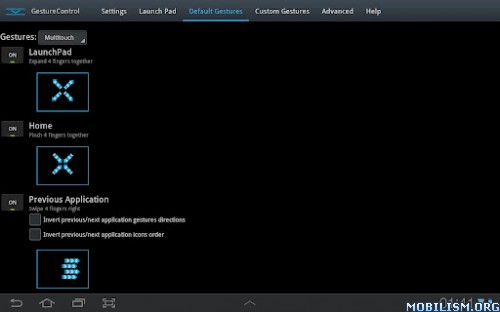
★ Swipe 4 fingers right - open previous application
★ Swipe 4 fingers left - open next application
★ Expand 4 fingers - LaunchPad (similar to SwypePad, start any application, shortcut or custom action)
★ Pinch 4 fingers - Home gesture
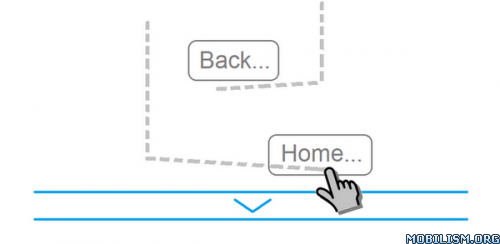
★ Swipe 3 fingers down - Back gesture
★ Swipe 3 fingers up - Hide/Show status bar (ICS is in Alfa stage)
★ Custom gestures - create your own gestures to start any application, shortcut or custom action

Description: This application allows you to control tablet with gestures.
Swipe 3 fingers up to hide status bar. Do same gesture again to restore bar.
Swipe 4 fingers right to open previous application.
Swipe 4 fingers left to open next application.
Pinch with 4 fingers anywhere on screen to return to home screen from any application.
Swipe 3 fingers down to execute back action in any application.
Expand 4 fingers anywhere on screen to open LaunchPad dialog. It is similar to SwypePad and allows start your most often used applications, shortcuts or custom actions anywhere anytime with simple gesture.
Works in all applications, games and browsers.

Application will use freed space when you hide status bar. Some games even work better with status bar hidden.
There is an option to switch to single touch gestures if its more convenient. You can even create your own gestures for any action.
Full version adds following features: option to hide notification icon, custom gestures and special actions, any number of actions in LaunchPad.

What's new:
4.2.0:
- Updated gestures engine for easy execution.
- Removed vibration by default from starting zones.
4.0.0:
- Added keyboard detection.
- Added 'tap' gestures.
- Added default Alt-Tab gesture.
- Updated singletouch gestures.
- Improved gestures recognition.
- Improved border calibration.
- Improved gestures collision solving.
- Added new devices.

This app has NO advertisements

More Info:

Saturday, September 29, 2012

Clash of the Damned v1.0.3695

Clash of the Damned v1.0.3695
Requirements: 1.5 and up
Overview: Get medieval on your foes in an online role-playing game.

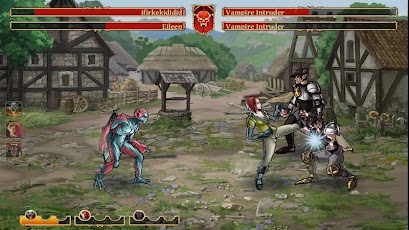
Casual multiplayer RPG telling a story of two rival races fighting each other to death!


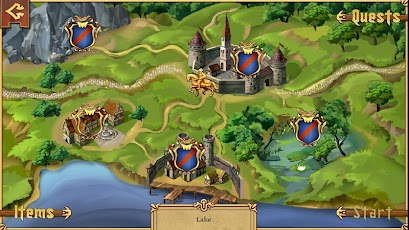
Two ancient kingdoms are going through hard times of war, poverty and uncertainty. You know the drill: if you want something done, you’ve got to do it yourself. Travel around the kingdom, fight for justice and get medieval on your foes!

CHOOSE YOUR SIDE

Time to decide where you belong: merciless and cruel Vampires or fierce and ghastly Werewolves? Choose your race with tons of unique equipment and lead your people to the victory!

UNRAVEL THE STORY OF THE KINGDOM

Start your journey in the middle of nowhere, with a ruined mansion as your only possession, soon to find yourself in the middle of an epic battle for the survival of your race!

FIGHT YOUR RIVALS ONLINE

Challenge other players on the Online Arena, invade their Lands, capture their Resources and complete Daily Tournaments to claim your legendary status of the Best Fighter in the Kingdom!

PICK FROM VAST ARSENAL

Discover weapons, potions, armors and tons of other useful stuff to help you with your quest. Choose from dozens of different perks and customize your appearance to create your unique character!

More Info:


Code:

https://play.google.com/store/apps/details?id=com.creativemobile.cod


Download Instructions:
http://depositfiles.com/files/r61pf444y
http://ul.to/d99hwmhy
http://turbobit.net/z3ioeobew07c.html
http://rapidgator.net/file/47120327/

SD:sdcard/
http://depositfiles.com/files/o1ptzkq6a
http://uploaded.net/file/a6j9mm38
http://rapidgator.net/file/47111470/

Finger Slayer Seasons 2 v1.0

Finger Slayer Seasons 2 v1.0
Requirements: Android 1.6 or higher
Overview: The Super Hit Smart Phone Game with New Exciting Gameplay & Theme!

***** The Super Hit Smart Phone Game with New Exciting Gameplay & Theme! *****

Finger Slayer is one of the most thrilling and fun reaction time game for Android. Test your reaction time by saving Fingoo from the continuously moving Sharp Saw. Finger Slayer Seasons 2 is a brand new fun edition to the Finger Slayer series. Play this fun exciting new mode in Seasons 2 today, see how your reaction time is!

The objective is to drag your finger on the screen, save FINGOO from the dangerous moving SAW which moves in different speeds while completing the puzzle image placed in the background. Be sure to collect as many coins as possible for more fun and points. Remember you have to collect all the pieces of the puzzle to complete the jigsaw.


[break]

* 5 Exciting Modes:

1) Balls

2) Coconut

3) Umbrella

4) Coconut Tree

5) Ice Cream

Unlock powers and shields by completing levels and collecting coins. Select your favorite character from different cute Fingoo characters, choose powers and select shields to make the game more interesting and exciting. Play this fun, free, and exciting game today and test your reaction time!

More Info:


Code:

https://play.google.com/store/apps/details?id=com.rvappstudios.fsseasons2&feature=search_result#?t=W251bGwsMSwxLDEsImNvbS5ydmFwcHN0dWRpb3MuZnNzZWFzb25zMiJd


Download Instructions:
http://www.filecloud.ws/q28lz7dfam5h

Gravity Guy v1.4.3

★ Multiplayer mode up to 4 players

★ Two game modes Story and PracticeIn a world where gravity laws were broken, a brave guy, was held captive for defying the rules. Not happy, he decided to escape, being the first one to run for his life flipping gravity at will.

Being chased by Gravity troops, Gravity Guy can't stop, he has to keep running and it's your job to guide him through an impossible world of mazes, flipping gravity when needed.

This fast paced and frustratingly addictive adventure features 30 challenging levels, and 3 different worlds, and guarantees you many long hours of fun!

What's in this version : (Updated : Sep 26, 2012)

New Gravity Guy update is out!

Support to JellyBean

Minor bug fixing

Required Android O/S : 2.1+

Release By chathu

play:


Code:

https://play.google.com/store/apps/details?id=com.miniclip.gravityguypaid


Download:

http://www.directmirror.com/files/0SGA8EFK

WP7 Plus GO Locker Theme v1.01

WP7 Plus GO Locker Theme v1.01
Requirements: Android 2.0 and up
Overview: You have 10 different colors to switch to replace your shortcut box. Every day, you can switch the color to suit your mood


Features:

1、WP7 Plus GO Launcher Ex supporting themes.

2、You have 10 different colors to switch to replace your shortcut box. Every day, you can switch the color to suit your mood. V1.01 Increase the definition of background.

3、By default, the music controls.

Installation instructions:

1. Make sure GO Launcher EX V2.58 or above and GO Locker v1.05 has been installed;

2. Click Menu>Plugins>GO Locker, choose a theme you like and apply it to your phone.

More Info:


Code:

https://play.google.com/store/apps/details?id=com.jiubang.goscreenlock.theme.win7


Download:
http://rapidgator.net/file/46787588/...v1.01.zip.html
http://extabit.com/file/2du5yf3xu05o8